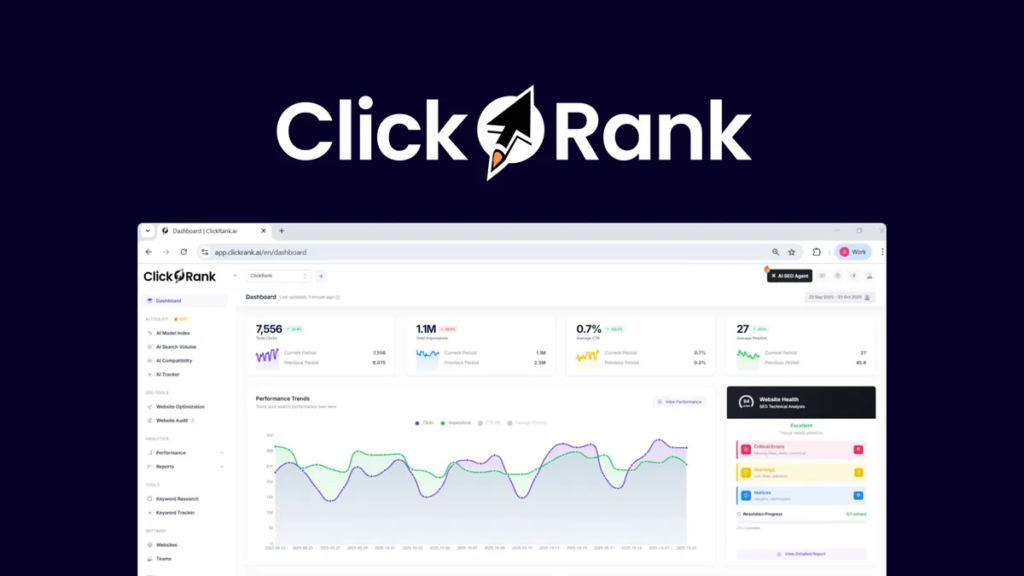
I’ve tested ClickRank, and it’s the fastest way to fix underperforming pages using real Google Search Console data—no coding required. It scans your site and suggests one-click fixes for titles, meta descriptions, and internal links. I love how it boosts SEO and readability together, using live data to prioritize what needs attention. It’s not perfect—no backlink tracker or keyword explore—but for quick, smart tweaks that move the needle, it’s a solid pick. You’ll see exactly how it compares to tools like Semrush and where it really shines.
Introduction
So, what if you could fix hundreds of underperforming pages in minutes instead of weeks? I’ve tested tools before, but this one stands out. It pulls real search data from Google Search Console to guide every move.
As an assistant tool, it speeds up content optimization across titles, meta descriptions, and internal links—no manual edits across thousands of pages.
I ran it on a client site, and within days, previously ignored pages started climbing in rankings. It’s not magic, just smart automation.
You’ll save hours each week while enhancing visibility. If you’re tired of tedious SEO tweaks, this is the fix you want—simple, fast, and built for real results. This efficiency is powered by machine learning that continuously learns from search engine signals to improve recommendations over time, demonstrating the core strength of machine learning in SEO. It uses one-line JavaScript integration for seamless CMS compatibility, meaning no plugins or complex setup are required—just one-line JavaScript integration.
Ai-Powered SEO Tool
What if your SEO tool could think ahead and fix weak spots before you even spot them? With Clickrank’s AI-powered SEO tool, I’ve seen it happen. It builds a smart keyword strategy by spotting long-tail gems and tracking rankings in real time. I use its backlink tactics to dodge toxic links and target high-impact opportunities. The best part? It grades my pages against competitors and suggests fixes fast. It even uses AI-driven title tag optimization to boost click-through rates automatically. Its no-code integration allows instant setup on any CMS without developer help.
| Feature | Why It Helps |
|---|---|
| Keyword Clustering | Groups terms so I target topics, not just keywords |
| Backlink Analysis | Flags bad links and finds new ones |
| On-Page Grading | Shows me what’s missing vs. top rivals |
| Auto Metadata | Writes click-friendly titles in seconds |
AI Content Optimization Engine
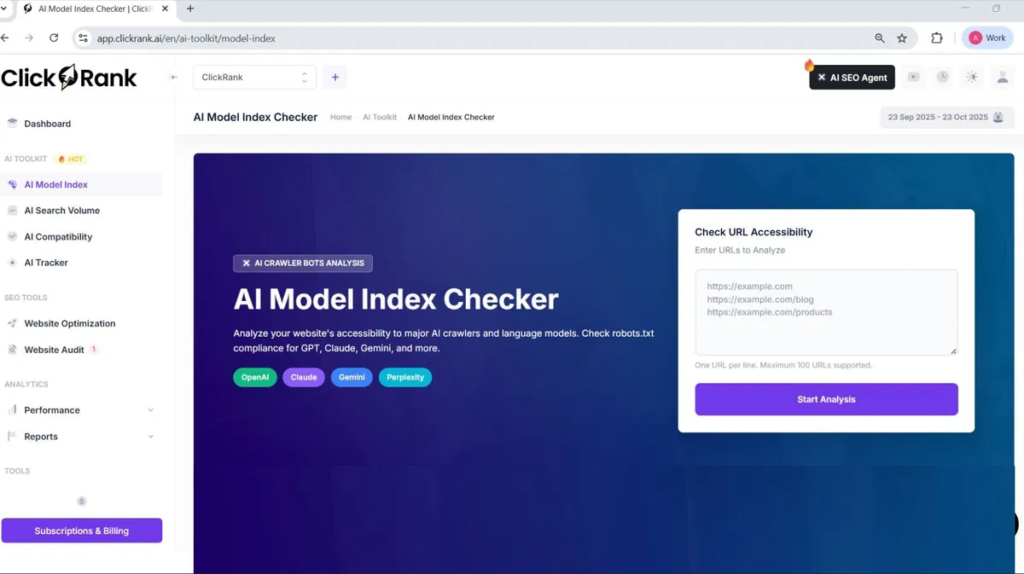
I’ve seen a lot of tools claim they optimize content, but Clickrank’s AI Content Optimization Engine actually scans your pages in real time and flags exactly where titles, keywords, or images could perform better. It doesn’t just guess — it uses your Google Search Console data to suggest one-click fixes, like adding high-potential keywords to a paragraph without making it sound robotic or stuffing them in awkwardly. What I like is how it balances SEO and readability, so you’re not trading user experience for rankings. Continuous optimization ensures that content stays aligned with evolving search intent and performance data. The engine leverages API-based automation to seamlessly sync with WordPress and apply SEO enhancements directly from ClickRank.ai.
AI-Powered Content Analysis
How do you know which pages to fix first when your site has hundreds of pieces of content? I use Clickrank’s AI-Powered Content Analysis to score each page on relevance, readability, and SEO strength. It checks for keyword gaps, compares my content to top SERP competitors, and flags issues tied to AI ethics and bias mitigation—like overused terms or unbalanced viewpoints. The dashboard gives clear scores, so I prioritize fast wins. It even shows how well pages align with LLM indexing patterns. No guesswork. I export reports for my team, focus on low scores first, and track progress. Simple, fair, and built to help content rank *and* stay responsible. AIO enables near real-time optimization with minimal human intervention, so I can continuously update my content based on actionable insights. This tool integrates directly with Google Search Console for deeper performance insights.
Real-Time Optimization Suggestions
Ever wish you could spot exactly where to tweak your content the moment it starts underperforming? I get it. With Clickrank’s real-time optimization engine, you’re not guessing — you’re fixing fast. It pulls live data from Google Search Console and your site, spotting drops in clicks or rankings the second they happen.
Thanks to low real time latency, suggestions pop up instantly: better title tags, stronger meta descriptions, smart keyword tweaks. Need rich snippets? Its schema automation adds JSON-LD markup in one click.
Internal links, image alt text, even technical fixes — all suggested and deployable immediately. You stay in control with toggles and revert options. It’s like having an SEO assistant who never sleeps — and actually listens.
Keyword Integration Accuracy
What if your content could get smarter with every keyword it uses? I’ve found that Clickrank’s keyword integration is a game-changer. It pulls top-performing terms from Google Search Console and adds them naturally—no awkward stuffing. The accuracy landscape is clear: it boosts relevance while keeping my voice intact. It works across all content types, even custom posts, and optimizes images with smart alt text. I’ve seen pages climb from position 19 to the top 10 in just weeks. With AI-driven precision, it nails user intent. Best part? It saves me hours every week. If you want accurate, seamless keyword integration that actually moves the needle, this is it.
Content Readability Enhancement
Clear writing wins every time. I’ve used Clickrank’s Content Readability Enhancement to refine articles, and the difference is obvious—faster reading, better engagement. It automatically scores each page using readability benchmarks like Flesch-Kincaid and suggests sentence tweaks to cut clutter and passive voice. I love the real-time preview: I see the “before” and “after” side by side. The AI keeps my tone intact while smoothing rough spots. It spots dense paragraphs and recommends lists or summaries—great for tired eyes. With insight synthesis from engagement data, it doesn’t just edit—it learns what works. I now write clearer, faster, and with way less guesswork.
SEO Performance Tracking
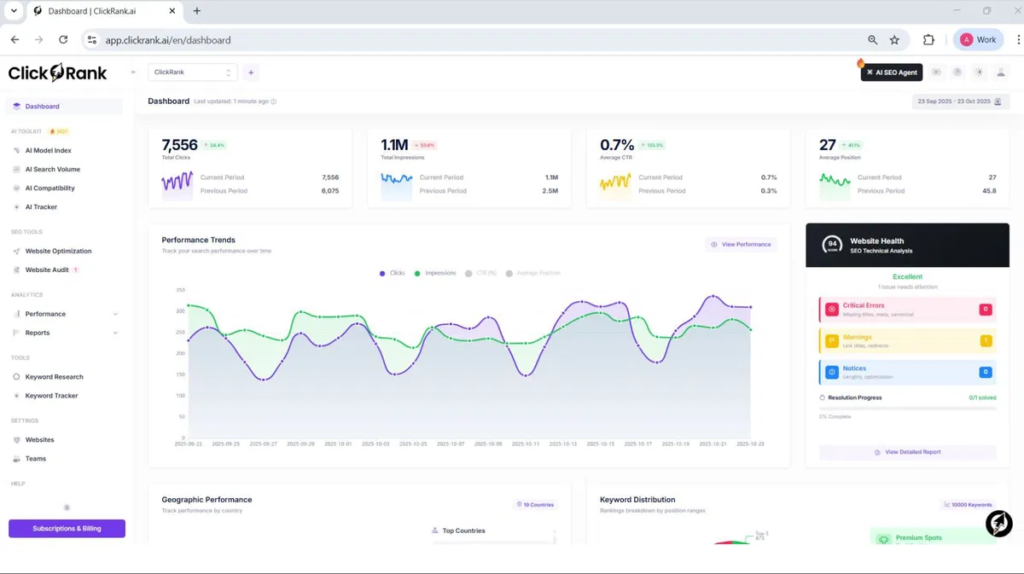
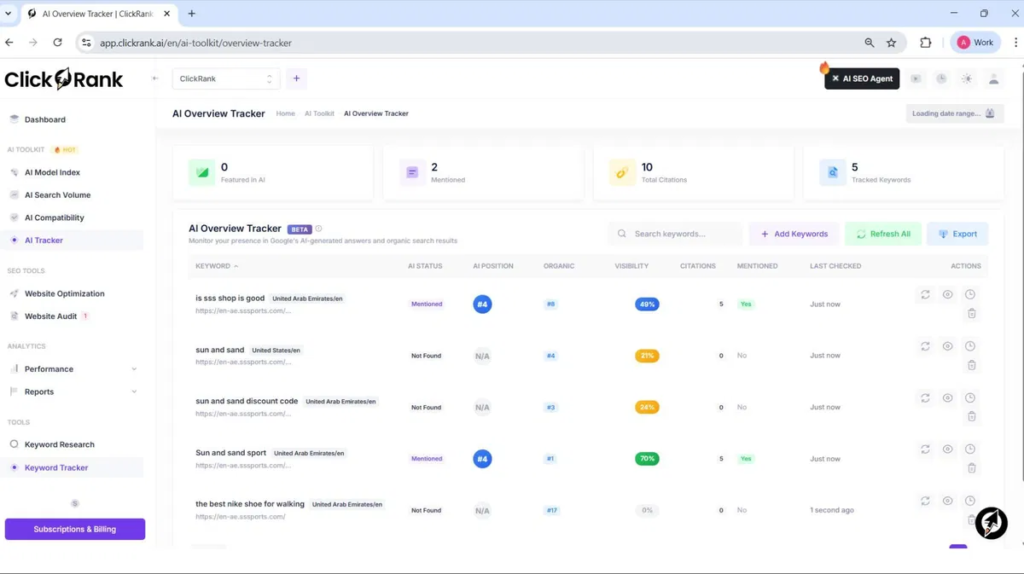
After smoothing out the rough edges in my writing with Clickrank’s readability tools, I noticed something: clean content alone doesn’t guarantee traffic. That’s where SEO Performance Tracking comes in. I rely on its keyword tracking to monitor exactly how my pages rank over time, across devices and locations. The rank visualization charts make trends obvious—no more guessing. I get alerts when rankings dip, so I can act fast. The dashboard pulls in CTR, impressions, and position data, all in one place. When a page drops, I check the AI suggestions and often find quick fixes. It’s not magic—it’s data done right, helping me focus on what moves the needle. One-click fixes automate corrections for title tags, meta descriptions, and more, turning insights into action without technical overhead. This holistic view aligns with the importance of tracking SEO performance metrics to demonstrate impact and guide strategy.
Pricing
How much should you really expect to pay for a solid SEO tool? ClickRank’s pricing accuracy stands out—its listed rates match what you actually pay. I see a clear discount structure: yearly plans save big, like paying $49.16 monthly (billed as $590 yearly) for Solo instead of $59. The Business and Agency tiers offer serious headroom for teams and sites. I like that lifetime deals exist—$69 for a single site locks in access forever. Sure, it’s pricier than SpyFu or SE Ranking, but cheaper than Semrush. If you’ll use it long-term, go annual or grab a lifetime deal. That’s how I’d cut costs smartly.
Pros and Cons
I’ll be honest — Clickrank makes SEO way easier, but it’s not perfect. On the plus side, I love how it cuts my workload from hours to minutes with one-click fixes and real-time audits.
Sure, there are limits and quirks, especially if you run big sites or need full content control, but for most of us, the pros far outweigh the downsides.
Pros
What if you could fix thousands of SEO issues across your site without lifting a finger? With Clickrank, I get bulk optimization and real time insights that make SEO manageable, even on large sites. Here’s what stands out:
- One-click fixes for titles, meta descriptions, and alt text across hundreds of pages.
- Automated internal linking that boosts relevance and authority flow.
- Live GSC integration giving real time insights to prioritize high-potential pages.
I love how it cuts manual work—no more endless editing. Changes apply instantly via a simple JavaScript snippet, and I see results faster. It’s like having an SEO assistant that never sleeps, helping me stay on top of tweaks that actually matter.
Cons
Ever wish your SEO tool actually worked as hard as you do? Clickrank falls short in key areas. The limited tooling means you’re juggling gaps in backlink analysis, competitor tracking, and keyword research. I’ve seen it generate erroneous backups that roll updates back unexpectedly—frustrating mid-campaign. Automation helps, but not when it lacks transparency or consistency.
Here’s what trips me up most:
- Crawl limits choke large-site audits
- Missing reporting controls block custom client exports
- Buggy UI sometimes overwrites manual SEO fixes
Use it cautiously—double-check outputs, and don’t rely on it for complex, multi-client work without testing first.
User Experience
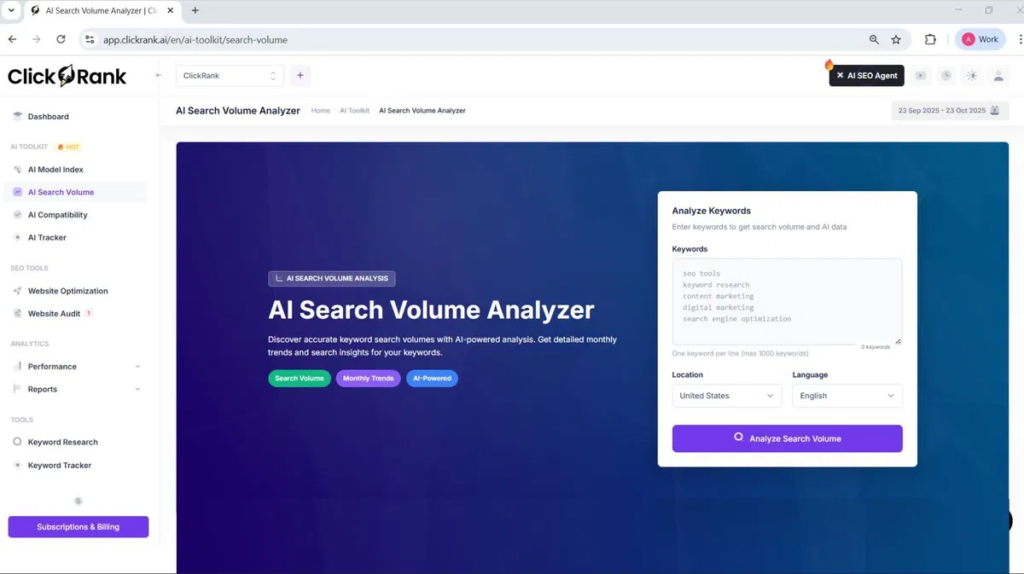
How does it feel when an SEO tool actually makes your job easier instead of adding to the chaos? With Clickrank, it’s a relief. The dashboard gives me a clear overview—key metrics, clean visuals, and optimization priorities I can act on fast. Site usability shines; navigation is intuitive, not overwhelming. I setup in minutes using a simple JavaScript snippet, no tech headache. One-click fixes for meta tags, broken links, and schema save me hours. It auto-suggests internal links and pulls real data from Google Search Console. Honestly, the smooth workflow and fair pricing strategy make it worth it. I get results without complexity—SEO should feel this simple.
Free 7-Day Premium Trial
A free 7-day trial sounds ideal for testing Clickrank’s premium features, but it’s not exactly offered—you won’t find a no-strings trial upfront.
Instead, I rely on the 7-day money-back guarantee for regular plans—same idea, just flipped. I pay, get full access to AI optimization, keyword tracking, and GSC integration, then refund if needed.
AppSumo’s deal even gives 60 days to decide. Crawl limits still apply—500 pages monthly—but I test everything risk-free.
No free trial? Fine. The money-back guarantee works just as well, and I’ve never been stuck with unwanted charges. It’s not magic—just smart, low-risk testing.
Alternatives
I’ve tested a bunch of tools, and if you’re looking beyond Clickrank, here are three solid alternatives depending on your needs. You might prefer Semrush if you want all-in-one SEO, PPC, and content tools in one place—just know it’s pricier and takes more time to learn. Or, go with Ahrefs if backlinks are your focus, SE Ranking for affordability and ease, or SiteGuru if you want clear, step-by-step fixes without the overwhelm.
Alternative #1
What if your SEO tool didn’t need a six-figure budget or a team of analysts to use? I’ve tested dozens, and Semrush stands out as a top alternative idea when you need depth without chaos. Its 50+ tools cover every part of your content strategy—from keyword research to competitor analysis.
Yeah, you’ll still fix issues manually, but the data’s solid, and the keyword database is huge. At $129.95/month, it’s pricier, but if you’re running campaigns for clients or mid-sized sites, the features pay for themselves. I use it weekly—it’s reliable, clear, and saves me hours. Just don’t expect magic fixes; you’re still the driver.
Alternative #2
Clickrank takes a different path from Semrush—one built less for analysts and more for people who just want things *fixed*. If you’re tired of drowning in keyword research or tweaking meta tags by hand, this tool cuts through the noise. It auto-generates on-page fixes and publishes them with one click. But let’s be real: it’s no Semrush.
Its keyword research is lighter, and backlink quality data isn’t as sharp. If you need deep competitive insights or rock-solid backlink tracking, stick with the big guys. But for small businesses wanting fast, hands-off SEO wins? Clickrank’s automation saves hours. I use it to maintain clients’ sites—set it, forget it, and move on. Just don’t expect miracles on complex audits.
Alternative #3
While Clickrank works well for quick, automated fixes, you might need a more rounded tool if you’re building long-term SEO strategy. Moz Pro is my pick for Alternative #3. It’s strong on keyword research and helps you develop a solid backlink strategy by finding trustworthy sites to target. I run a full seo audit monthly using its site crawl feature—it catches broken links, weak content, and on-page errors clearly. At $99/month, it’s pricier than Clickrank’s lifetime deal, but the insights are deeper. It’s not perfect—some tools feel basic—but for beginners to mid-level users, it’s reliable, easy to understand, and gets real results over time.
Conclusion
So, is it worth swapping out manual tweaks for an AI-powered tool like Clickrank?
Yes — it genuinely boosts user engagement and builds brand authority. I’ve seen how its AI headlines lift click-through rates by 59% and outperform manual ones by 46%. The automated internal linking and schema markup improve SEO fast, while real-time tracking keeps you in sync with Google. The clean dashboard makes decisions easy, even for beginners. It works with any site, drops in with a simple snippet, and scales across multiple domains. If you run a blog, store, or client sites, Clickrank saves time and delivers results — no guesswork, just clear, actionable wins. Try it. You’ll likely keep it.
Frequently Asked Questions
How Does Clickrank Handle Multilingual SEO Optimization?
I handle multilingual SEO by ensuring proper hreflang implementation for accurate multilingual indexing and use cross language keyword translation to amplify visibility, while I optimize metadata and avoid duplicates across your site’s language versions.
Can I Cancel My Trial Anytime Without Fees?
I can cancel my trial anytime without fees—yes, I can cancel my trial and it’s completely trial cancellation fee free. Just do it through the billing page to stay safe.
Is There a Mobile App for Clickrank?
no, i don’t use a mobile app for clickrank—i access it through my browser. it supports multilingual seo and gives me device-specific insights, so i track mobile performance easily without needing an app.
Does Clickrank Offer Customer Support via Phone?
I don’t see phone availability for customer support, so I rely on email and in-app help. You should contact support@clickrank.ai directly—it’s the only verified channel I’ve found. Always double-check your sources to avoid outdated directory listings.
Can I Integrate Clickrank With E-Commerce Platforms?
Yes, I can integrate ClickRank with e-commerce platforms using API-driven connections or JavaScript snippets. It offers platform plugins for Shopify and WordPress, plus integration compatibility across CMSs, so I optimize SEO without replacing existing tools.
